
What Is an EX4 File? Complete Guide for MetaTrader 4 Users
What Is an EX4 File? Complete Guide for MetaTrader 4 Users
If you use MetaTrader 4 (MT4), you have probably come across files ending in .ex4. These files are commonly associated with Expert Advisors, custom indicators, and scripts that run inside the MetaTrader 4 trading platform.
But what exactly is an EX4 file? How is it created? Can it be edited? And what should you do if you have an EX4 file but no longer have the original MQ4 source code?
This complete guide explains everything MetaTrader 4 users should know about EX4 files.
What Does EX4 Mean?
EX4 is the compiled program format used by MetaTrader 4 for MQL4 applications.
When a developer creates an MQL4 program, the source code is normally saved as an MQ4 file. The source is then compiled using MetaEditor, producing an EX4 program that can be executed by MetaTrader 4.
The basic process is:
MQ4 Source Code → MetaEditor → Compilation → EX4 File
The MQ4 file is designed for development and editing, while the EX4 file is designed to be loaded and executed by MT4.
What Can an EX4 File Contain?
An EX4 file can represent different types of MQL4 applications.
Expert Advisors
Expert Advisors, commonly called EAs, are automated trading programs.
An EA can perform tasks such as:
- Monitoring market conditions
- Generating trading signals
- Opening trades
- Closing trades
- Managing existing positions
- Applying stop-loss and take-profit rules
- Calculating position sizes
- Managing trading schedules
Custom Indicators
Custom indicators analyze market data and display information on an MT4 chart.
They can produce:
- Lines
- Histograms
- Arrows
- Signals
- Alerts
- Custom calculations
- Chart objects
Scripts
Scripts are programs designed to perform specific actions, usually when manually launched by a trader.
An EX4 file therefore isn’t necessarily an Expert Advisor. It can be an EA, indicator, or script depending on how it was developed.
EX4 vs MQ4: What Is the Difference?
The difference between EX4 and MQ4 is one of the most important things to understand.
|
EX4 |
MQ4 |
|
Compiled program |
Source code |
|
Used by MT4 |
Used for development |
|
Generally not directly editable |
Editable |
|
Produced by compilation |
Written by developer |
|
Designed for execution |
Designed for modification |
Think of MQ4 as the source project and EX4 as the compiled application.
For example:
MyTradingEA.mq4
can be compiled to produce:
MyTradingEA.ex4
Changing the file extension from .ex4 to .mq4 does not reverse this process.
How Is an EX4 File Created?
EX4 files are normally created through MetaEditor, the development environment associated with MetaTrader.
A simplified workflow looks like this:
Step 1: Developer Writes MQL4 Code
The developer creates an MQ4 source file containing the program’s logic.
Step 2: Source Code Is Compiled
MetaEditor compiles the source code.
Step 3: MT4 Program Is Produced
The compiled program becomes an EX4 file that can be used by MetaTrader 4.
Step 4: EX4 Is Loaded Into MT4
The program can then be placed in the appropriate MT4 directory and used by the terminal.
Where Are EX4 Files Located?
The exact location can depend on the MetaTrader installation and terminal setup.
Inside an MT4 data directory, different program types are stored in their respective folders.
For example, Expert Advisors and indicators have separate locations.
A typical structure may include:
MQL4/
├── Experts/
├── Indicators/
├── Scripts/
├── Include/
├── Libraries/
└── Files/
An Expert Advisor’s EX4 file would normally belong in the Experts directory, while a custom indicator belongs in Indicators.
After placing a new program in the correct directory, MT4 may need to refresh its Navigator or be restarted before the program becomes visible.
How Do You Open an EX4 File?
An EX4 file is not normally opened like a Word document or text file.
It is intended to be loaded by MetaTrader 4.
For example, if you have an Expert Advisor EX4:
- Open MT4.
- Locate the platform’s data directory.
- Open the appropriate MQL4 folder.
- Place the EX4 in the correct subfolder.
- Refresh the Navigator.
- Locate the Expert Advisor.
- Attach it to a chart if appropriate.
The exact setup can depend on the program and whether it requires additional files.
Can You Edit an EX4 File?
Normally, an EX4 file is not the editable source-code file.
If you want to modify an EA or indicator, the preferred file is the original MQ4 source code.
For example, if you want to change:
- Trading rules
- Indicator calculations
- Risk settings
- Alerts
- Entry conditions
- Exit conditions
- Display settings
you generally need the source project.
This is why developers should always keep secure backups of their MQ4 files.
What If You Only Have the EX4?
This is where things become more complicated.
Suppose you have:
MyEA.ex4
but the original:
MyEA.mq4
has been lost.
You may start looking for an EX4 to MQ4 decompiler or an EX4 source-code recovery service.
The purpose of such a process is to determine whether usable source code can be reconstructed from the compiled application.
However, the result can vary considerably depending on the particular EX4.
Is Every EX4 Recoverable?
No.
There is no universal guarantee that an EX4 can be converted back into the developer’s exact original MQ4 source code.
Factors that can affect the situation include:
- MT4 build
- Compilation history
- Program complexity
- Protection mechanisms
- Obfuscation
- External libraries
- DLL dependencies
- Licensing systems
- File integrity
A recovered project may therefore require manual reconstruction and testing.
What Is EX4 to MQ4 Decompilation?
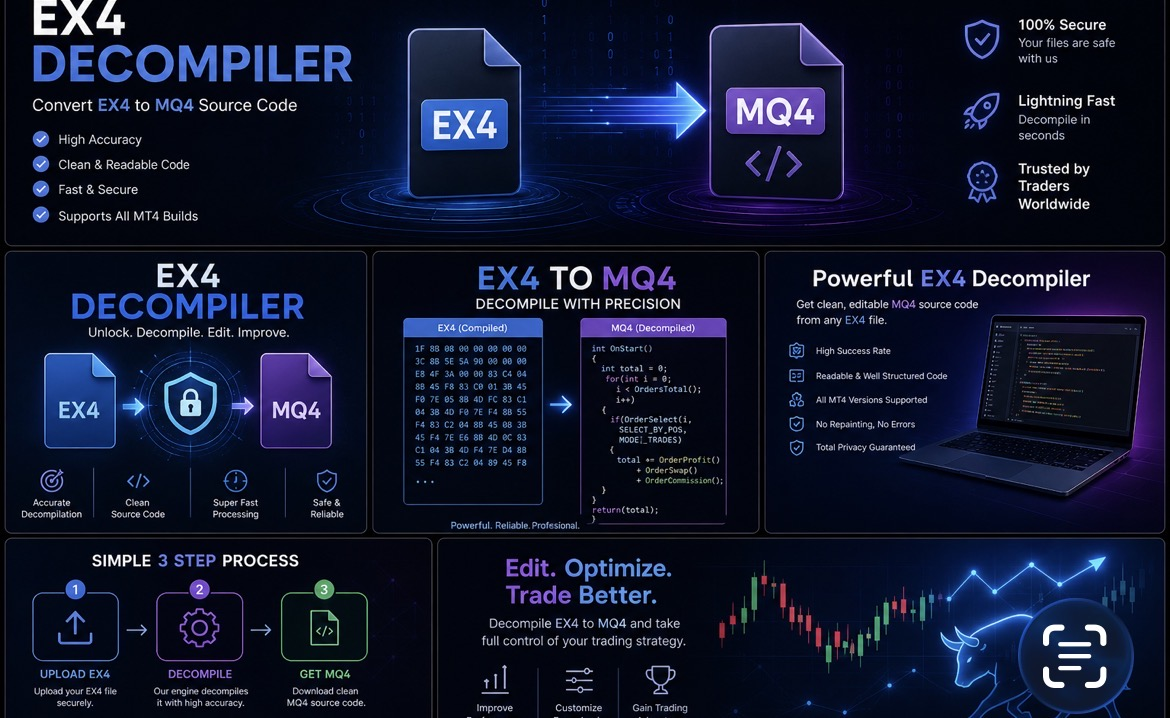
The term EX4 to MQ4 decompilation generally refers to attempting to analyze compiled EX4 code and reconstruct editable MQL4 source.
It is important to distinguish this from ordinary file conversion.
A normal conversion might look like:
JPG → PNG
EX4 to MQ4 is fundamentally different.
The process is closer to:
EX4 → Analysis → Source Reconstruction → MQ4 → Compilation → Testing
The resulting source may not have the same formatting, variable names, comments, or organization as the original developer’s project.
EX4 Files and DLL Dependencies
Some MT4 applications use external DLL libraries.
A DLL can provide functionality outside the core MQL4 environment.
The structure may look like:
EX4 → DLL → External Function
If an EX4 depends on an external DLL, you may need the DLL for the application to function correctly.
This can be especially important with:
- Copy-trading systems
- Licensing systems
- External data services
- Security systems
- Specialized calculations
- Communication tools
If a DLL is encrypted, protected, missing, or unavailable, recovering the EX4’s MQL4 component may not be enough to reproduce the complete system.
EX4 Files and Copy-Trading Systems
EX4 files are also frequently used for automated trading and copy-trading applications.
A copy-trading setup might involve:
Master MT4 Account
↓
Trade Signal
↓
Copying System
↓
Receiver MT4 Account
The EA may monitor trades and transfer information to another account.
Depending on the software, the system can involve additional EX4 files, DLLs, VPS infrastructure, or external communication services.
If the source code has been lost, understanding these dependencies can be important before attempting any reconstruction.
Why an EX4 May Stop Working
An EX4 file can sometimes stop functioning even when the file itself has not been deliberately modified.
Possible causes include:
MT4 Changes
Changes to the platform or trading environment can affect compatibility.
Missing DLLs
If the program depends on an external DLL that is no longer available, certain functions may fail.
Broker Changes
Some EAs depend on symbol names, trading conditions, or broker-specific settings.
Expired Licensing
Commercial software may include licensing or expiration mechanisms.
Missing Supporting Files
An EX4 may rely on additional files that are no longer present.
Incorrect Installation
Placing an EX4 in the wrong MT4 directory can prevent it from appearing or operating correctly.
How to Troubleshoot an EX4 File
If an EX4 isn’t working, don’t immediately assume that the file is damaged.
Try the following checks.
Check the Correct Folder
Make sure the EX4 is installed in the appropriate MQL4 directory.
Check the Experts or Journal Tabs
MT4’s terminal logs can provide useful information about errors.
Check DLL Settings
If the program requires DLL access, verify that the necessary permissions and files are configured appropriately.
Check Dependencies
Look for required DLLs, EX4 libraries, configuration files, or other resources.
Check Compatibility
Determine whether the EA or indicator was designed for the MT4 environment you’re currently using.
How Developers Should Protect Their MQ4 Source
If you develop MQL4 applications, don’t treat the EX4 file as your only backup.
Maintain secure copies of the complete project.
A good backup can include:
- MQ4 files
- MQH include files
- DLLs
- EX4 libraries
- Configuration files
- Presets
- Documentation
- Previous versions
This is particularly important for commercial Expert Advisors and indicators.
Losing the MQ4 source can make future maintenance significantly more difficult.
EX4 File Frequently Asked Questions
Can I convert EX4 to MQ4?
EX4 and MQ4 are different types of files. Source-code recovery may be technically possible in some situations, but there is no universal guarantee of recovering the exact original MQ4.
Can I edit an EX4 directly?
An EX4 is a compiled program rather than the normal editable source file. To make substantial modifications, you generally need the MQ4 source or a legitimate source reconstruction/redevelopment process.
Does changing .ex4 to .mq4 work?
No. Renaming the extension does not convert compiled EX4 code into MQL4 source code.
Does every EX4 contain the original MQ4 source?
You should not assume that the original source is directly contained in a recoverable, human-readable form.
Can an EX4 use a DLL?
Yes. MQL4 applications can use external libraries, including DLLs. If an application depends on one, the DLL can be an important part of the program’s functionality.
Can I recover a lost EA?
If you own the EA or have authorization to analyze it, you can investigate whether its source can be recovered or whether the EA can be rebuilt based on its available files and behavior. The result depends on the individual application.
Conclusion
An EX4 file is the compiled form of an MQL4 application designed to run inside MetaTrader 4. It can represent an Expert Advisor, custom indicator, or script.
The most important distinction is simple:
MQ4 = editable source code
EX4 = compiled MT4 program
If you have lost the MQ4 source but still possess the EX4, an EX4-to-MQ4 source-recovery project may be worth investigating, particularly when the software is yours or you have permission to analyze it.
However, recovery isn’t guaranteed. Complex trading systems, copy-trading applications, protected programs, and DLL-dependent EX4 files can require significantly more technical work.
For future projects, the safest approach is always to maintain secure backups of the original MQ4 source code and every dependency required by the application.